



Web AI Terminal v2.3.0
A lightweight Flask app that puts a web-based SSH terminal and an Ollama-powered AI chat pane in your browser — side by side.
A lightweight Flask app that puts a web-based SSH terminal and an Ollama-powered AI chat pane in your browser — side by side.
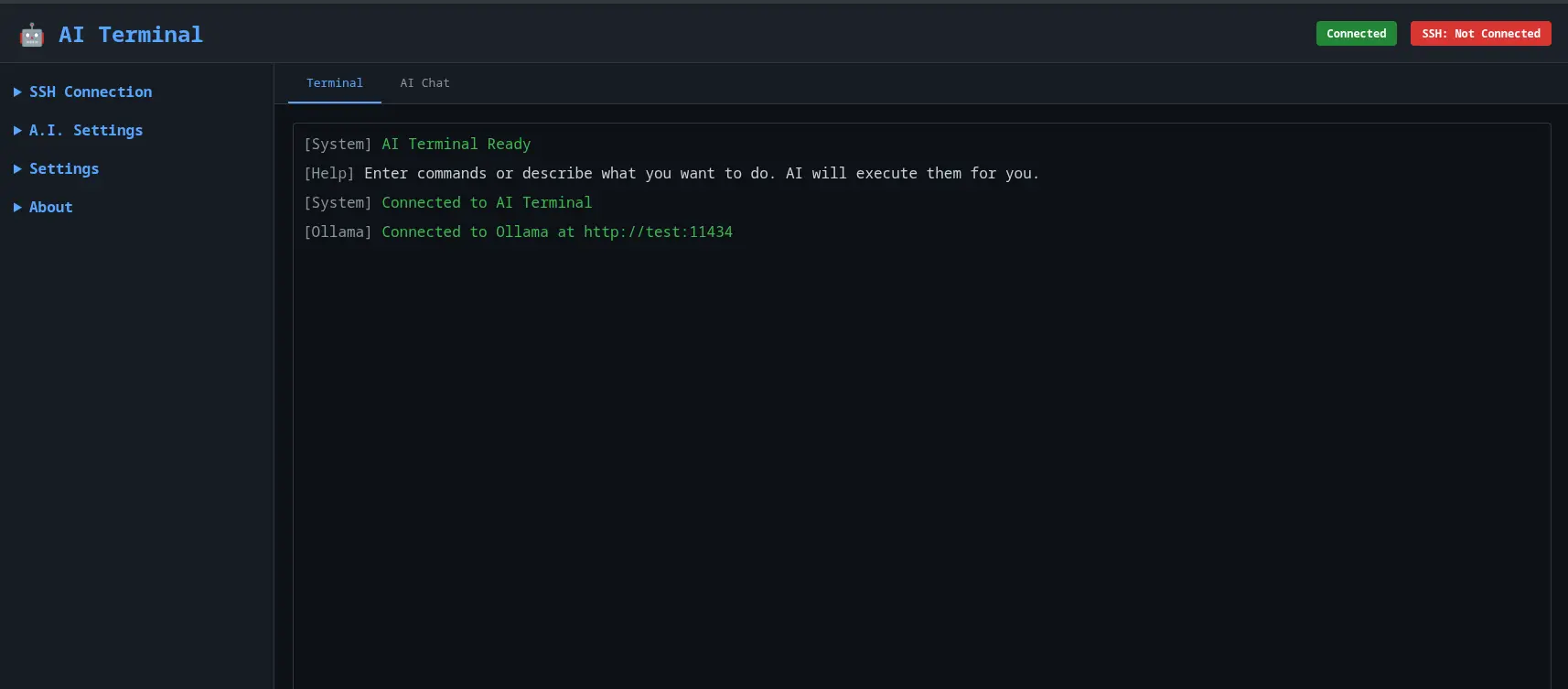
Full browser-based terminal backed by Paramiko SSH. No client software needed.
Dedicated AI tab powered by local Ollama models. Use ? or /ai prefixes, or let errors auto-forward.
Switch between terminal and chat panes in a unified, responsive UI.
Socket.IO keeps the terminal and AI responses live without page reloads.
Single-command startup via Docker Hub or GitHub Container Registry. Compose file included.
SSH passwords are stored with Fernet symmetric encryption. Plain-text fallback disabled when a key is set.
Pull and run in a single command — pick your preferred registry:
# Docker Hub
docker run -d --restart unless-stopped \
-p 1010:1010 --name=webaiterminal \
ftsiadimos/webaiterminal:latest
# GitHub Container Registry (identical image)
docker run -d --restart unless-stopped \
-p 1010:1010 --name=webaiterminal \
ghcr.io/ftsiadimos/webaiterminal:latestThen open http://localhost:1010 in your browser.
git clone https://github.com/ftsiadimos/Web-Terminal-AI
cd Web-AI-Terminal
cp docker-compose.example.yml docker-compose.yml
# edit docker-compose.yml to set env vars
docker compose pull
docker compose up -dgit clone https://github.com/ftsiadimos/Web-Terminal-AI
cd Web-AI-Terminal
./start.sh # creates venv, installs deps, starts serverOr manually:
python3 -m venv venv
source venv/bin/activate
pip install -r requirements.txt
cp .env.example .env # then edit .env
python app.py| Variable | Default | Description |
|---|---|---|
OLLAMA_HOST |
http://localhost:11434 |
Base URL of the Ollama API server. |
OLLAMA_MODEL |
llama2 |
Model name to use for AI responses. |
SECRET_KEY |
random | Flask session secret. Set a stable value in production. |
SETTINGS_ENC_KEY |
none | Fernet key for encrypting stored SSH passwords. Generate with python -c "from cryptography.fernet import Fernet; print(Fernet.generate_key().decode())". |
FLASK_ENV |
production |
Set to development for debug reloading. |
FLASK_DEBUG |
0 |
Enable Flask debug mode (1 = on). |